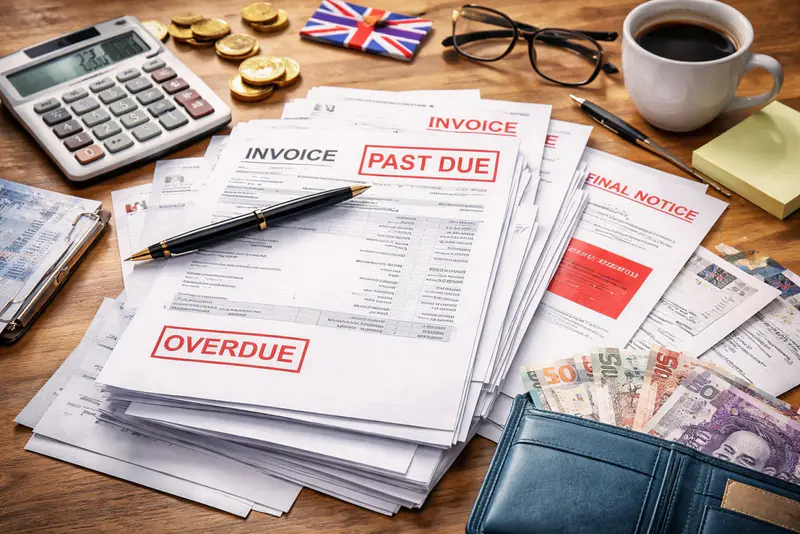
For small businesses, AI can speed up invoice drafting. The bigger gains come from keeping customer details, delivery, payment tracking and follow-up in one managed process.
Generative AI is already useful for routine business writing, from emails to summaries. Invoicing is part of that picture too. Invoice Simple now advertises AI-powered invoice creation from a short typed or spoken prompt, and the UK Small Business Commissioner says AI can help with payment administration, including reminders, contract review and prioritising payment-related emails.
Drafting is only one stage.
An invoice also has to carry accurate customer information, pricing, payment terms and dates, then be sent, tracked and followed up. AI may help with the wording; the business still needs a reliable process around it.
For a freelancer, contractor or micro-business, a good invoice process gets the right information out quickly, shows what is owed and gives the customer a straightforward way to pay.
Get the invoice right before optimising the workflow
Speed is useful only when the invoice is correct. GOV.UK guidance on invoice requirements says invoices must include core information such as a unique identification number, supplier and customer details, a clear description of what is being charged for, supply and invoice dates, the amounts charged, VAT where applicable and the total owed. Additional requirements apply to sole traders, limited companies and VAT invoices.
The UK Small Business Commissioner adds practical advice: agree when payment can be expected and obtain any required purchase order number before invoicing. It also recommends sending invoices promptly after work is completed, making the payment terms and due date clear, and describing the work in enough detail for the customer to process it.
AI can help write a clear description or a polite follow-up, but that does not remove the need to check the commercial and legal details. The useful saving is less routine admin without losing control of the information the customer needs to approve and pay the invoice.
A fast draft is only one part of the job
A prompt can produce a draft quickly. The time saving shrinks if the owner then has to copy customer details into another system, save and send the file separately, remember the due date, check for payment and chase it manually. Most of the admin is still there.
A better measure is the time and attention needed to get from completed work to payment. A well-managed invoicing workflow can reuse information already entered, carry agreed job details forward and show the status of invoices after they have been sent.
“For a lot of solo operators, the job doesn't end when the tools go down – it ends when the invoice is finally sent, often hours later at the kitchen table,” says Dan Stuart, SVP at EverCommerce. “Being able to finish that billing from the truck, in the ten minutes between jobs, means the evening actually belongs to family and downtime instead of admin. We see the real value of mobile invoicing as being a work-life balance tool as much as a business one.”
Stuart is an executive of EverCommerce, Invoice Simple’s parent company.
AI still has a place in that setup. It can save time on wording or routine messages. The invoice data, delivery, payment status and follow-up simply need somewhere dependable to live.
Getting paid requires a workflow
Sending the invoice is the start of the collection process. The business needs to know when payment is due, which invoices are outstanding and when to follow up. The customer needs clear terms and a suitable way to pay.
“Most late payments aren't really about a client refusing to pay,” says Stuart. “Instead we often see friction being the cause, as unclear terms, missed reminders, or manual payments lead to delay becoming the path of least resistance. Set terms up front, automate the follow-up, and put a payment link right on the invoice, and you remove almost every excuse for ‘it must have slipped through the cracks.’”
Those comments are Stuart's view, not evidence that friction explains most late payments. Features also vary by product, plan, location and payment method. Independent guidance supports the practical steps behind his argument: the Small Business Commissioner recommends clear payment expectations and prompt invoicing, and says AI can help with reminders and other payment-administration tasks.
Payment links, reminders and AI-drafted follow-ups can all reduce effort. They work best when the invoice itself is accurate and someone can see what has been sent, what is due and what needs attention next.
Continuity reduces repeat administration
Repeat work gets easier when information carries forward. Saved customer details avoid retyping. An approved estimate can supply the line items and pricing for the invoice. After sending, the invoice status should be visible without a separate spreadsheet, calendar note or mental reminder.
Invoice Simple is one platform built around that kind of continuity. Its feature pages say users can save customer and item details, convert estimates into invoices, send them by email or text, track invoice status and set up recurring invoices. It also offers AI-assisted invoice creation. That overlap is useful: AI can help create the draft while the invoicing system keeps the billing record and next steps together.
Reminder behaviour is a good example of why feature claims need care. Invoice Simple's Plus help page says the app prompts users when it is time to send a due-date reminder and offers message templates. A separate help article documents an Automatic Reminders setting. Businesses should check the plan and settings available to them rather than assume every reminder is fully automated. Payment options can also vary by location and product setup.
Invoice sooner when the work is fresh
For contractors, tradespeople and service providers working away from a desk, invoicing sooner can be a simple improvement.
The Small Business Commissioner specifically recommends submitting invoices promptly after the work is completed instead of leaving them for a later admin session. Mobile invoicing can make that easier because the job details are still fresh and the invoice can be sent before the next task takes over. AI, saved customer information or a manual draft can all help with creation. The business benefit comes from getting an accurate invoice into the payment process sooner.
Judge the process by the admin it removes
AI is useful for drafting descriptions, reminders and other routine text. Invoicing software is useful for storing customer and job information, sending invoices and keeping payment status in view. Many businesses will use both.
The best setup is the one that keeps the details accurate, gets invoices out promptly and makes it easy to see what has been sent, what is due and what has been paid. If that reduces the time spent moving information between tools and remembering the next step, the technology is doing its job.